
Sometimes the connection to the database can fail. You will normally see a message similar to below if this happens.

To fix this problem:
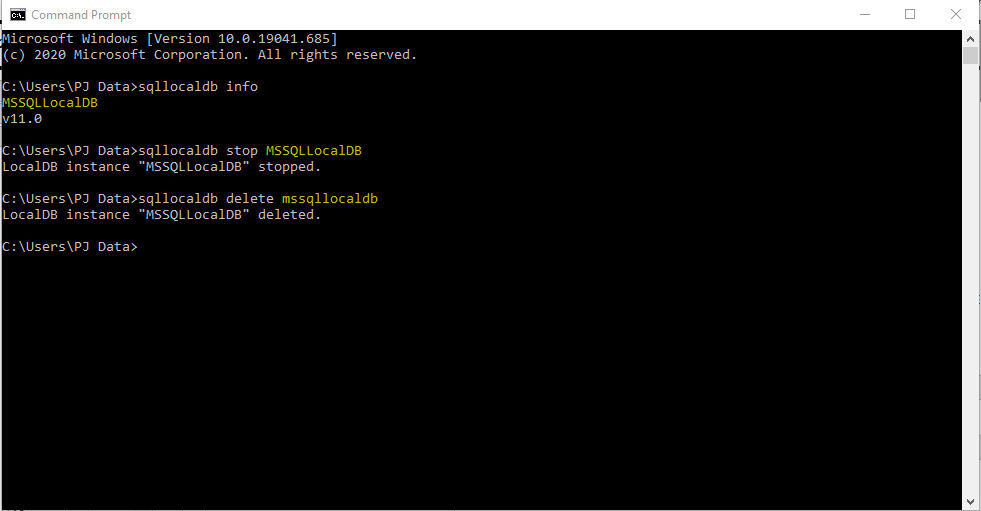
Go to start and in your search type in cmd. The command prompt should open (Below)
Type:
Sqllocaldb info
It will display a label on the next line (Highlighted yellow below) and a version after that. It may display the same name on your computer or a different one.
Sometimes there is more than one Server Name provided and you will have to follow the steps below for each one:
In the cmd prompt, type:
Sqllocaldb stop “Whatever the label is from above”
Now type:
Sqllocaldb delete “Whatever the label is from above again”
This should clear your server and hopefully allow you to open the software.
Contact PJ Data if this doesn’t work.